

How to Change the Storage Folder Location in Usenet Wire
208
views

You can change where Usenet Wire saves articles by selecting a different folder or drive. This can help free up space on your primary drive and keep your Usenet articles organized.
How to Change Your Usenet Wire Folder
- Open Usenet Wire.
- Click Options, then select Settings.
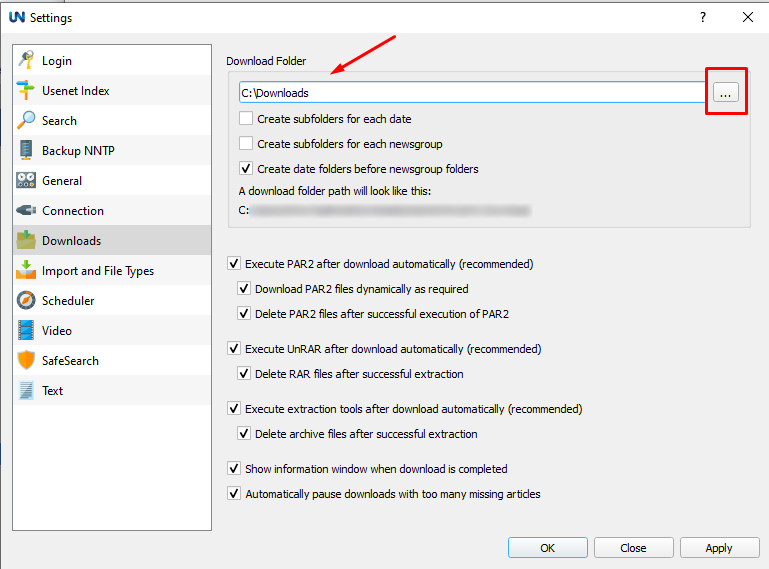
- On the left, choose the Downloads section.
- Enter the desired folder path, or click the three-dot icon to browse for a folder on your preferred drive.
- Click Apply to save your changes.
Future articles will be saved to the new location.
Tips for Choosing a Folder
- Choose a drive with enough free space for your articles.
- If you use an external drive, keep it connected while Usenet Wire is transferring articles.

