How to Find Articles Saved Through Usenet Wire

4
views

Usenet Wire saves transferred articles to a folder on your computer. To find your current storage location:
- Open Usenet Wire.
- Click Options, then select Settings.
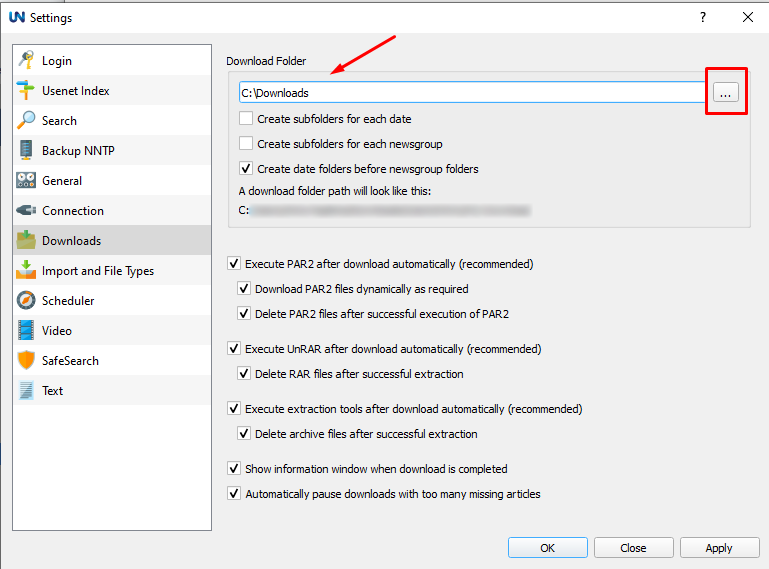
- Select the Downloads section.
- Locate the Download Folder field. The path shown here is where your articles are saved.
- Open that folder on your computer to view your saved articles.
To change where future articles are saved, enter a new folder path or use the browse button to select a folder, then click Apply.